Environment Management Tools
Overview
This section provides an overview of three common software tools that are used to manage dependcies and environments. Python virtual environments, conda, and containers all offer different ways of creating an isolated place on your machine where you can install specific versions of software. This enables users to work on multiple projects on the same machine without worrying about mismatches in software depencies between projects.
Virtual Environments
A python virtual environment, often referred to as a “venv”, installs all python packages into a specific target folder on your machine. When you “activate” the environment all of the installed packages are made visible to your python installation. Under the hood, virtual environments are controlling your system variables (e.g. PATH) to manage where software is installed and in which directories programs like python look for installed packages.
Key Features
- Lightweight:
Unlike Conda or containers, virtual environments in Python only manage Python libraries, which can make them simpler and faster to set up.
- No System-Level Dependencies:
Virtual environments do not handle non-Python system libraries or software dependencies.
- Ideal for Small Projects:
Best suited for smaller projects where only Python dependencies need to be isolated, without the complexity of managing other tools.
Conda

Image source: github.com/conda
Conda is similar to python virtual environments except that it can also install non-python packages. This capability can be useful when your project involves not just python code but many external software dependencies.
Key Features
- Versatility:
Allows the installation of both Python and non-Python packages.
- Cross-Language Support:
Supports a variety of programming languages- not just Python!
The way conda manages files is not optimized for use on HPC systems owing to the distributed and shared nature of HPC data storage. If you would like to use Conda, view our tutorial on How to Install Conda for use on our systems as well as our advanced Conda section. This will give examples of various ways to install conda on our system to get the best performance.
Containers
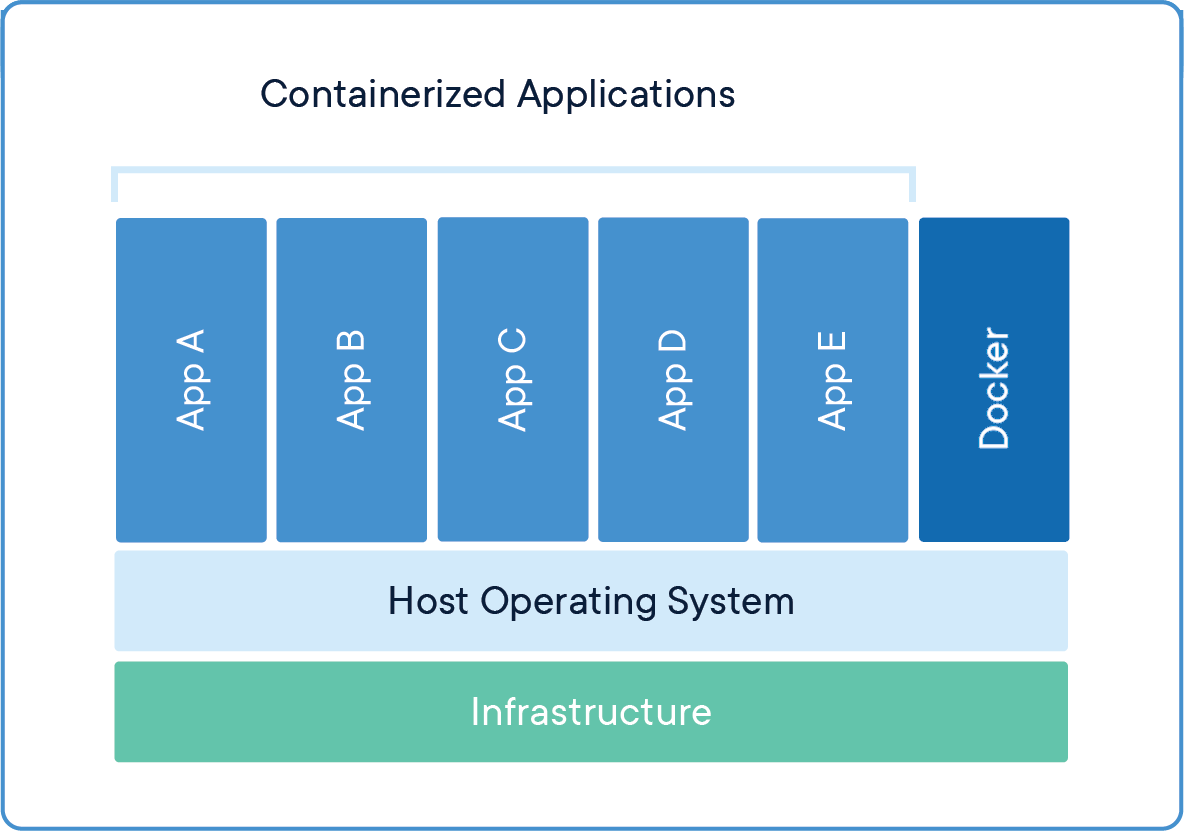
Containers are lightweight and portable software platforms, similar to virtual machine images, but aimed at high performance applications. A container will not only have the code for the target application, but also its runtime, system tools, libraries, and settings, ensuring consistent execution across environments. The primary software engine that builds and runs containers is called Docker. The HPC systems at TACC use software called Apptainer, which will convert and run containers made using docker. Please see TACC’s container tutorials for more details.
Key Features
- Complete and Portable Environment:
Bundles the application with all necessary dependencies, making it portable across different systems without the need for installation on the target machine.
- Scalable:
Ideal for scalable, microservice-based architectures and container orchestration tools like Kubernetes.
- Root Priveleges:
Software in containers can be installed with root priveleges and then the container can be uploaded and run on a HPC system.